What is this Fable game?
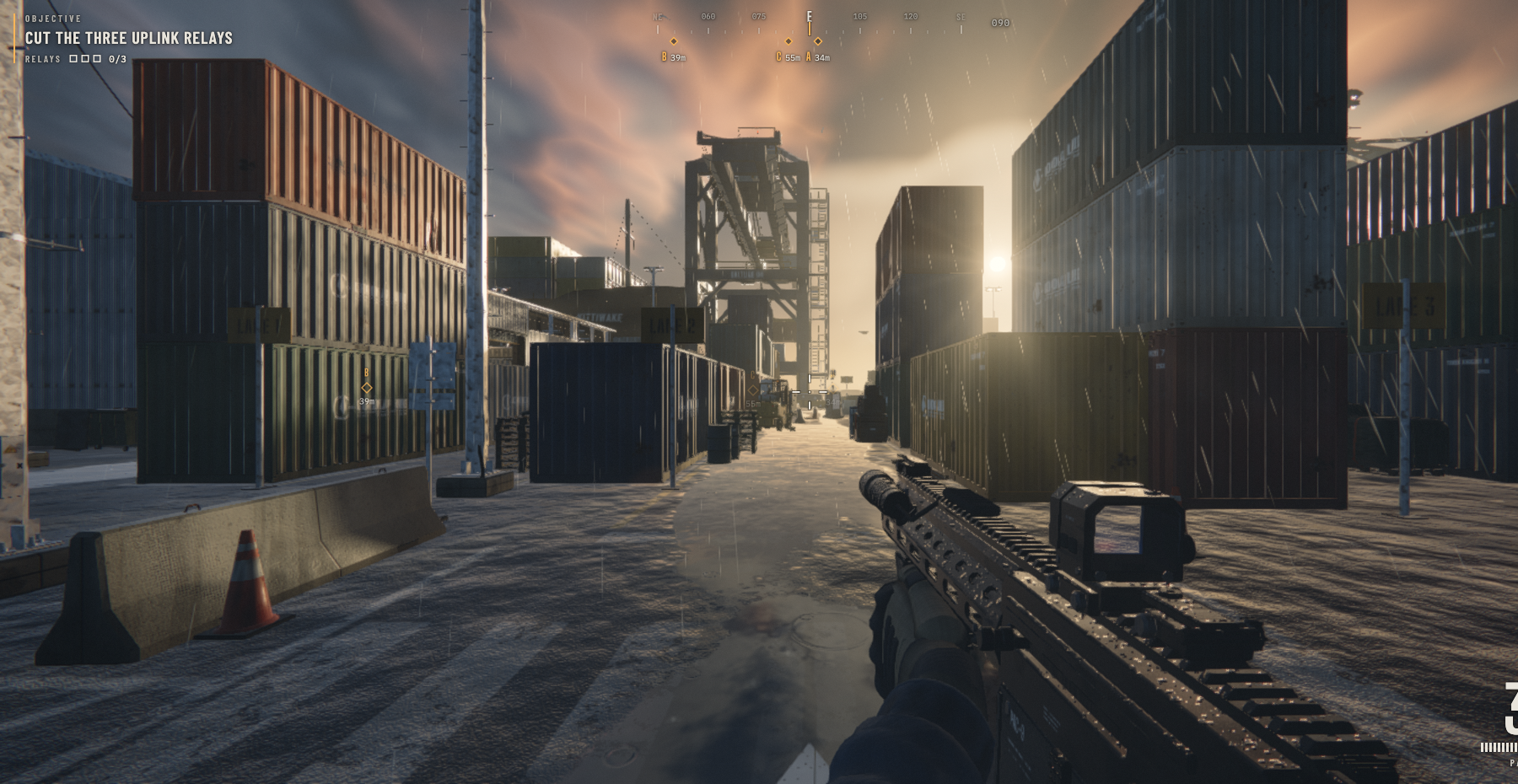
Saltline drops you into a rain-soaked container port with a security system that has turned hostile. Your job is specific: cut three uplink relays, then reach the boat. The first-person view puts the harbor at eye level, with narrow passages between containers, tall industrial structures and relay markers to help you find your bearings. This is a playable browser shooter, so the central experience is moving through a place and responding to what is in front of you.
This featured Fable game comes from Felix Rieseberg, who describes it as a test of Fable 5.2 using a single prompt without human feedback. The author says the models, sounds and textures were made from scratch. Those are the creator's development claims; AIGameLib is presenting the playable result, not independently certifying the entire development process. The version embedded here is the realcodebear-hosted mirror linked in our creator collection.
How to start Saltline
Press Play Saltline above to load the game in the same panel. The page first shows a loading screen; Saltline then prepares its own scene. When its menu appears, choose DEPLOY. That second step belongs to the game itself. You can also inspect its CONTROLS and SETTINGS before entering the harbor. If the first load takes a while, give the scene time to finish preparing instead of repeatedly pressing the start button.
On a computer, use W, A, S and D to move, and the mouse to look. The left mouse button fires; the right mouse button aims. R reloads, Space jumps, Shift sprints and C crouches. Move close to an uplink relay and use E to cut it. Escape pauses the game. Keep the player in focus while using these keys: a key pressed outside the game may operate your browser instead.
The menu also describes touch controls. Move with your left thumb and look with your right; fire, aim, reload and jump have on-screen buttons. A smaller screen gives you less room to see the scene and operate those controls, so landscape orientation and fullscreen are worth trying. Touch controls being present does not mean every phone will run a detailed 3D scene smoothly. If performance is poor, check the game's settings and try a less demanding quality option.
Read the harbor, then move
The objective panel and relay counter are your reference points. At the beginning, the counter reads zero of three. The scene marks the uplinks with letters and distances, giving you a way to choose your next destination. Follow those markers instead of treating the port as a straight corridor. The mission text asks you to cut all three uplinks and reach the boat; simply arriving at the first marker is not the whole objective.
Keep an eye on the vitals and ammunition displays as you explore. Their purpose is practical: they show the state of your current run without making you leave the action. Reload deliberately, and use the pause menu when you need to check the controls. We have checked the opening scene and its controls, but we do not claim a tested fastest route, a completion time or a guaranteed strategy for winning.
A game made with Fable 5.2
Here, “Fable game” means a browser game whose creator says it was made with Fable 5.2. It describes the creation process. It does not mean the enemies are powered by a live language model, that you must supply an API key, or that the game will invent a new campaign for every player. The browser version shown here has its own controls, mission and environment.
Saltline also keeps its own name. This page is an independent AIGameLib presentation of that creator's work, and it is not the official site for the separate Fable role-playing game franchise. The creator credit and source link sit directly under the player so you can check where the work came from. We do not describe Saltline as an AIGameLib-developed game.
If the game does not respond
First, click inside the game so it receives keyboard input. The browser may ask to capture your pointer; Escape releases the pointer or pauses play. In our browser test, Saltline also displayed a fallback for mouse capture: move the mouse to look, rest it at a screen edge to keep turning, or use the arrow keys or I, J, K and L to turn. Follow the instructions shown by your current game session.
If the panel remains blank, check that your browser supports WebGL and has hardware acceleration available. You can try the source page linked below the player to see whether the same issue occurs there. Reloading can restart the current run, so use it after checking focus and settings. This page does not promise cloud saves or cross-device progress. A browser game's availability can also change when its external host changes or goes offline.
0 comments